How Many SIP Channels Does Your Contact Center Really Need? Avoid Overpaying for Unused Capacity
Buying SIP channels based on headcount is a common planning mistake. It can leave you paying for capacity that sits idle, or leave your dialer short of call paths when traffic peaks. To plan SIP channels for contact centers, start with how many calls your system needs to carry at once. Then account for how…
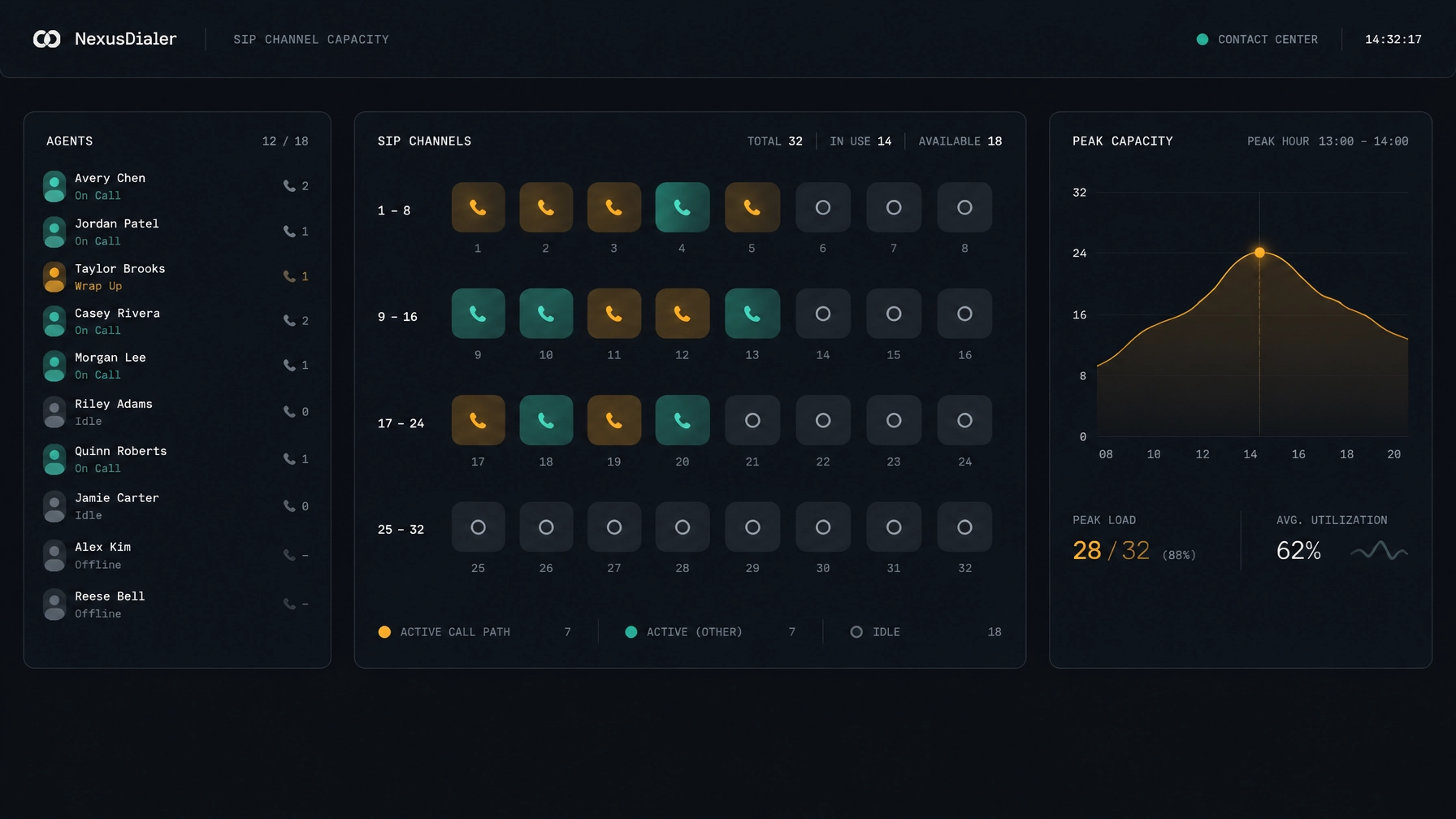
Buying SIP channels based on headcount is a common planning mistake. It can leave you paying for capacity that sits idle, or leave your dialer short of call paths when traffic peaks.
To plan SIP channels for contact centers, start with how many calls your system needs to carry at once. Then account for how your team dials, what happens to unanswered calls, when inbound traffic arrives, and how much capacity you want in reserve.
There is no fixed channel-to-agent ratio that works for every contact center. The right figure depends on your call patterns, dialing setup, provider limits, and tolerance for blocked calls.
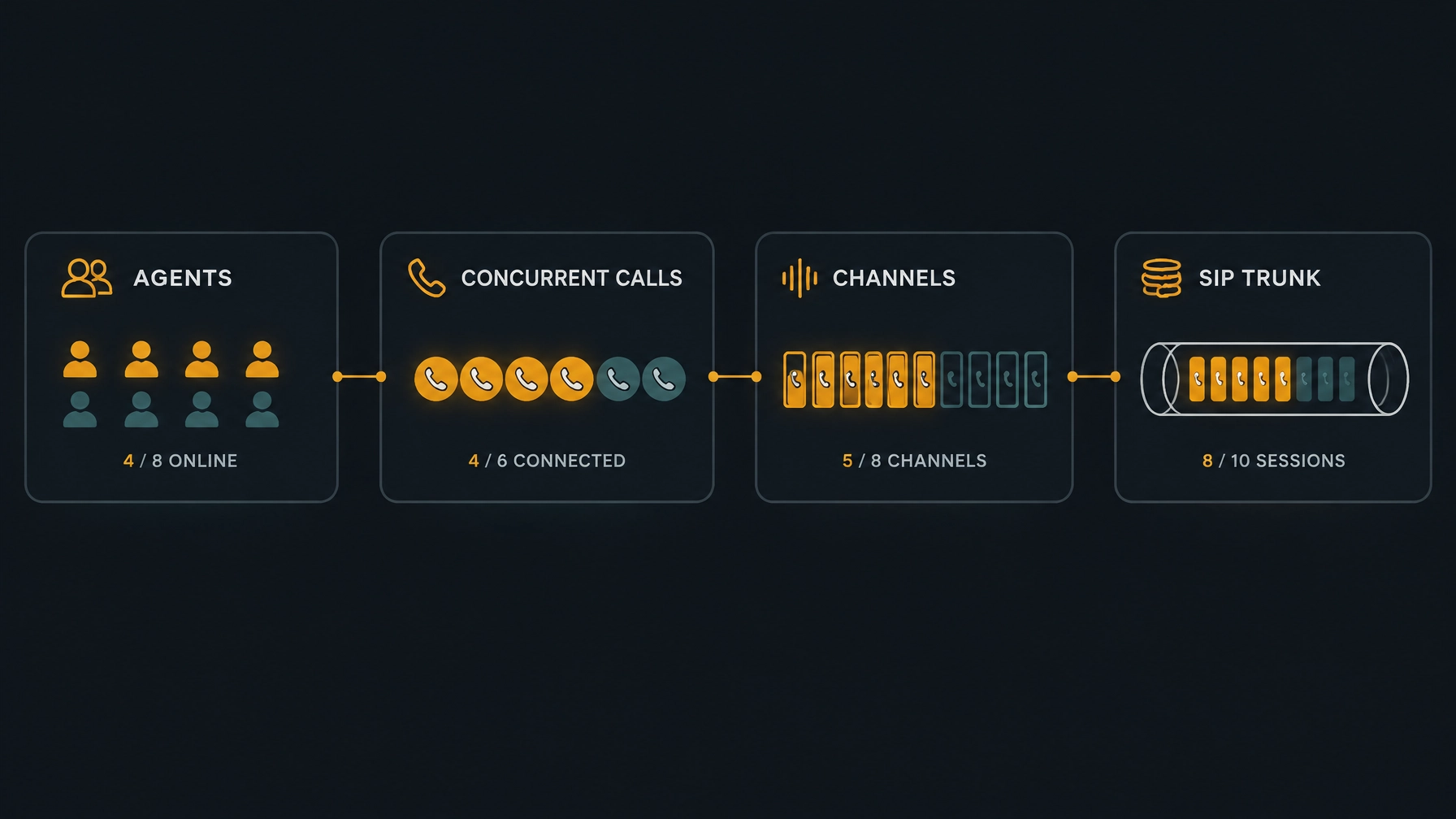
Seats, calls, channels, and trunks: what’s the difference?
These terms describe different things. Mixing them up can lead to a poor capacity estimate.
- Seat or agent: A person, or a licensed workspace, that can handle calls. A seat does not automatically equal a SIP channel.
- Concurrent call: A call session in progress at a particular moment. An outbound attempt can be in progress while the destination is still ringing.
- Channel: A call path that can carry one simultaneous call. In many SIP services, channel capacity represents the number of concurrent call sessions allowed. Confirm how your provider defines and counts it.
- SIP trunk: The logical connection between your contact center or phone system and your voice provider. A trunk may be provisioned with a set number of simultaneous sessions or sold under another capacity model.
One call can involve more than one call leg. For example, transferring a caller to an outside number may create a separate outbound leg while the original call remains active. Whether that uses another provider channel depends on how the call is routed.
Recording and monitoring also need a closer look. A recording stream may use platform or media resources without taking another carrier channel. If your setup creates a separate SIP call leg for recording or monitoring, it may affect channel use. Ask your platform and provider how they count those resources.
Why concurrency matters more than headcount
Headcount tells you how many people could work calls. It does not tell you how many call paths your system will use at the busiest moment.
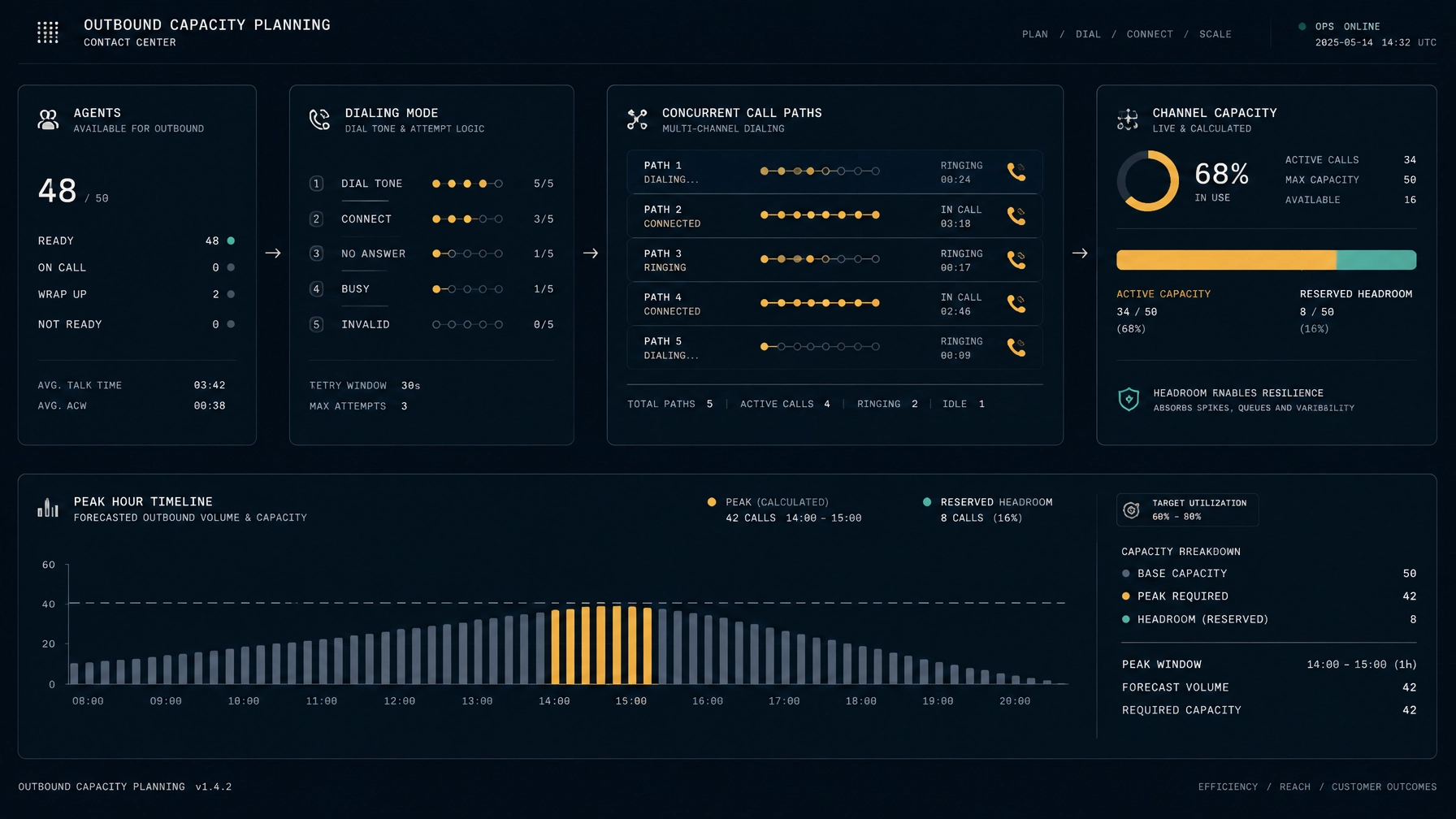
A team using manual or tightly paced progressive dialing may have fewer outbound attempts in progress than a team using predictive dialing. Predictive dialing can place attempts ahead of agent availability. Those calls occupy capacity while ringing, even if the person never answers.
Your busiest period may also include inbound calls, retries, transfers, and campaign overlaps. A channel estimate based only on connected agent conversations can miss all of that activity.
For capacity planning, look at the peak number of simultaneous call legs your provider must carry. Use your own call records and infrastructure data where possible. Daily call totals and average agent counts are not substitutes for a busy-period view.
What can push peak concurrent calls higher?
Review the traffic sources that can overlap during your busiest hour:
- Predictive and progressive dialing: The number and timing of outbound attempts depend on dialing mode and configuration. Ringing attempts can use capacity before a conversation begins.
- Retries and no-answer calls: Repeated attempts and calls that ring without an answer still affect capacity while they are in progress.
- Voicemail traffic: Calls that reach voicemail may use a channel until the call ends, even if the conversation is brief or there is no live conversation.
- Inbound bursts: A customer campaign, service event, or sudden increase in demand can bring inbound calls at the same time as outbound activity.
- Transfers and conferences: External transfers or conference participants may add call legs, depending on how your system handles them.
- Recording and monitoring: These can use platform resources, separate call legs, or both. Check your actual setup rather than assuming every recording uses a SIP channel.
A simple channel count may also miss another provider constraint: call setup rate, sometimes described as calls per second. A dialer can have spare concurrent channels but still encounter provider limits on how quickly it can start new calls. Ask about both limits.
How to estimate your SIP channel requirements
Use this sequence to build a working estimate. Your provider or telephony team should review it before you order capacity.
1. Find your busiest period
Review call-detail records and system telemetry across representative weeks. Identify when simultaneous call activity peaks, not just when your team places the most calls in total.
Include expected campaign peaks, seasonal shifts, and operating hours. If you do not have reliable historical data yet, mark your estimate as provisional and review it after launch.
2. Separate your traffic
Break activity into inbound calls, outbound attempts, and additional call legs such as external transfers. Note when these types of traffic overlap.
For outbound traffic, count attempts that are ringing as well as connected calls. If possible, use the actual concurrent-attempt data from your dialer, PBX, SBC, or provider records.
3. Account for dialing mode and answer patterns
Record whether you use manual, progressive, or predictive dialing and how the settings affect attempt timing. Include no-answer calls, retries, and voicemail calls while they occupy call paths.
Do not apply a generic “calls per agent” multiplier without checking how your system behaves. The needed capacity depends on the attempt rate and the time each attempt remains active.
4. Add other call legs
Check how your setup handles transfers, conference calls, recordings, and monitoring. Ask which components use carrier channels and which use only platform or media resources.
This step helps prevent both undercounting and unnecessary overestimation.
5. Add headroom and plan for failure
Decide how much room you need for growth, campaign variation, and short-term spikes. Treat the margin as a planning choice based on your operation, not a universal percentage.
If you rely on a backup route or trunk for failover, confirm that it can carry the traffic you expect it to handle during an outage. Capacity split across two routes is not automatically available on either route when the other fails.
6. Confirm the provider’s capacity model
Convert your estimate into the capacity your provider actually offers. Check its definition of a channel, available increments, burst options, call setup limits, and treatment of call legs.
Worked example: a hypothetical outbound contact center
The following figures are illustrative only. They are not customer results or industry benchmarks.
Suppose a contact center has 24 agents scheduled for a busy period. After reviewing a test campaign and estimating overlapping inbound traffic, the team models:
- 38 outbound call attempts in progress at the peak, including ringing attempts
- 7 inbound calls in progress at the same time
- 2 additional external transfer legs expected during that period
That gives a modeled peak of 47 simultaneous call paths: 38 + 7 + 2.
For planning, the team chooses an illustrative 20% reserve for variation and near-term growth. That brings its working requirement to about 57 call paths: 47 × 1.2, rounded up.
This is a starting estimate, not a final order. The team should check whether its provider counts those call legs as expected, whether its call setup rate is sufficient, and whether its failover plan needs additional capacity. If the real peak data changes, the estimate should change too.
The cost of too few or too many channels
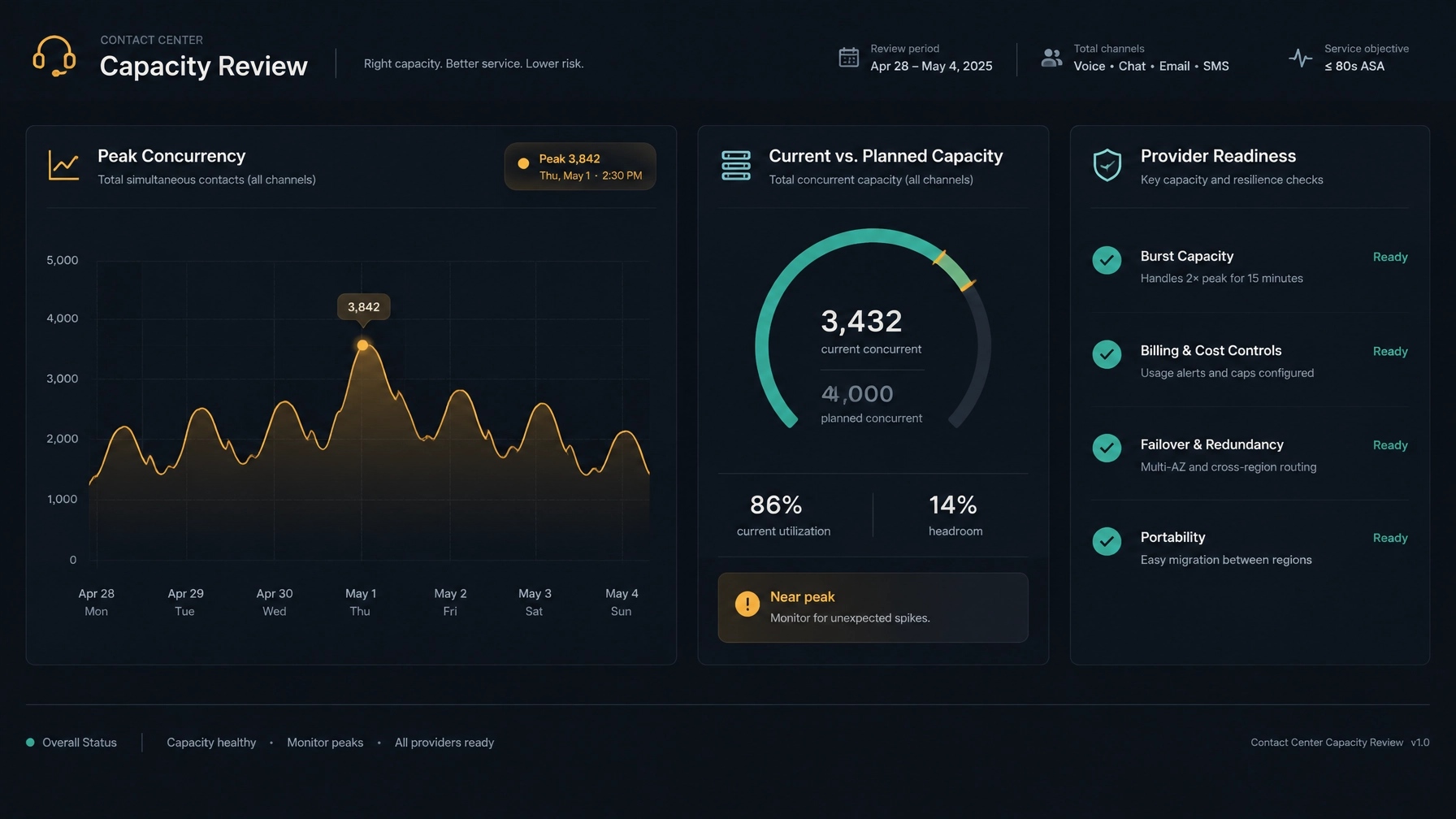
Too few channels can block calls, trigger busy responses, or limit campaign activity at peak times. For inbound teams, callers may not reach the system as expected. For outbound teams, the dialer may have to slow or pause attempts.
Too many channels can mean paying for capacity that rarely carries a call, depending on your provider’s billing model. It can also make it harder to see whether demand has changed if you never compare actual usage with the capacity you buy.
The goal is not to choose the lowest or highest possible number. It is to understand your actual peak, agree on an acceptable level of risk, and make sure the provider’s billing and capacity model fit that plan.
For a broader look at keeping your telephony provider while reviewing software and workflow costs, see How to Reduce Contact Center Costs Without Switching SIP Providers.
Questions to ask your SIP provider
Before changing your order, ask:
- How does your service define and count a channel or concurrent call?
- Can capacity burst above the committed level? If so, how is it limited and billed?
- Are channels sold in fixed increments, or can the limit be adjusted as needs change?
- Do you bill per channel, per minute, or through another model?
- What call setup rate can the service support alongside its concurrent-call limit?
- How does failover work, and how much capacity is available on the backup route?
- Can you retain and port your existing phone numbers if you change services?
- Which call legs, transfers, recordings, or monitoring streams affect the channel count?
Get answers from both your carrier and platform provider. They may describe separate limits in their own systems.
Review capacity as your operation changes
Repeat your capacity review when you add agents, change dialing modes, launch a new campaign, extend operating hours, or change how calls are transferred. Compare your estimate with actual peak concurrency and look for rejected calls, busy responses, or repeated periods close to the configured limit.
Real-time analytics dashboards, where available, can make activity easier to review. Pair them with call records and provider data so you can distinguish agent activity from carrier-side call capacity.
NexusDialer’s public site describes BYOS SIP flexibility, so teams can keep their existing SIP provider while reviewing their dialing platform. It also lists predictive and progressive dialing, along with role-based reports and current rep status. If you are considering a platform change, confirm how your telephony setup and capacity data will work in your deployment. You can explore NexusDialer and review the related guide to choosing outbound dialer software.
Frequently asked questions
How many SIP channels do I need per agent?
There is no fixed number that applies to every team. Estimate the peak number of simultaneous call paths based on your dialing mode, ringing attempts, inbound overlap, transfers, and provider rules. Then add the headroom your operation requires.
What is the difference between a SIP channel and a SIP trunk?
A channel is typically one simultaneous call path. A SIP trunk is the logical connection to the voice provider and may include a defined concurrent-call capacity. Providers package and count capacity differently, so confirm their terms.
How do I calculate concurrent calls?
Use call records or system telemetry to find the highest number of call paths active at the same time. Include outbound ringing attempts, inbound calls, and additional legs that use provider capacity. Validate how your provider counts each type.
Do unanswered outbound calls use SIP channels?
They may. An outbound attempt can occupy a channel while the destination rings, even if no one answers. Confirm when your provider releases the channel and how it treats failed or unanswered attempts.
Do recordings use SIP channel capacity?
Not necessarily. A recording may use platform or media resources without creating another carrier call leg. If your setup creates a separate SIP leg for recording or monitoring, it may affect capacity. Check with your platform and provider.
meta_title: "SIP Channel Capacity Planning for Contact Centers: A Complete Guide"
meta_description: "Learn how to estimate SIP channels for contact centers. Compare seats, concurrent calls, channels, and trunks, then plan for peak traffic, headroom, and provider limits."