How to Choose the Right Outbound Dialer Software: 9 Features Every Business Should Look For
Choosing outbound dialer software affects more than how quickly your team places calls. It shapes how much time reps spend speaking with prospects, how reliably call activity reaches your CRM, and how clearly managers can see what is working. The wrong fit can add manual work, obscure campaign results, and make it harder to follow…
Choosing outbound dialer software affects more than how quickly your team places calls. It shapes how much time reps spend speaking with prospects, how reliably call activity reaches your CRM, and how clearly managers can see what is working. The wrong fit can add manual work, obscure campaign results, and make it harder to follow up at the right time.
The right platform should fit your calling process, support your team’s requirements, and make it easier to act on useful information. Use these nine features to compare vendors. Ask for a live demonstration of the workflows your agents and managers will use, not just a list of features.
1. Dialing modes that fit the campaign
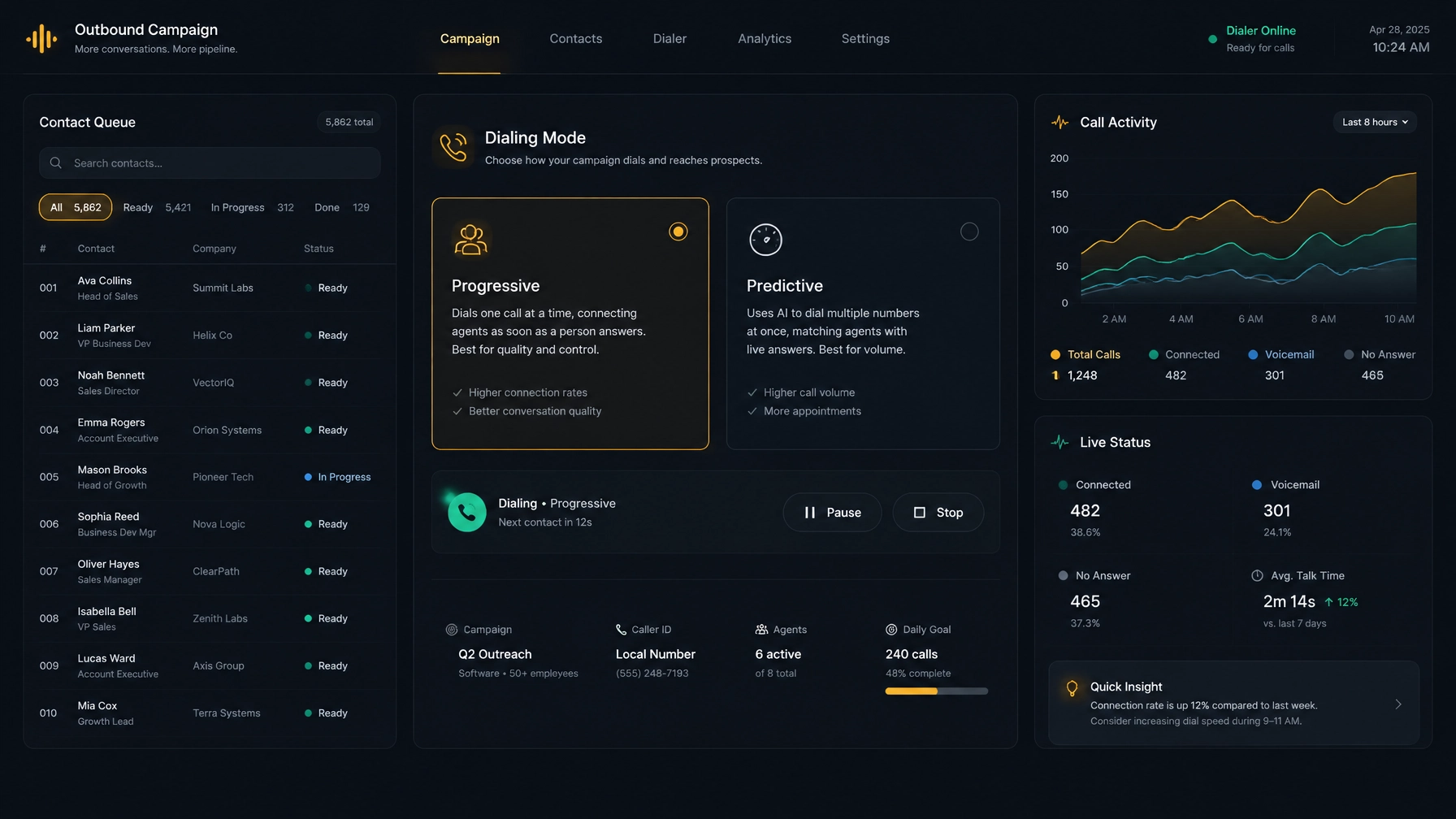
An outbound dialer automates some or all of the process of placing calls from a contact list. Different dialing modes suit different workflows. In preview dialing, an agent reviews a contact before placing the call. Progressive dialing places a call when an agent is ready. Predictive dialer software uses dialing logic to place calls ahead of agent availability, aiming to connect answered calls with available agents.
The right option depends on your list, call length, staffing, and the context agents need before they speak with someone. A high-volume campaign and a complex account follow-up may call for different pacing.
When comparing vendors, ask: Can you choose a dialing mode by campaign? What controls help you manage call pacing and abandoned-call risk? Can you see how the dialer handles busy signals, unanswered calls, and callbacks?
NexusDialer’s website lists progressive and predictive dialing. Ask the team to show how each mode works with your campaign and telephony setup before you select one.
2. CRM workflows that keep call records useful
If agents have to switch between the dialer and CRM to find contact history, enter notes, and save call outcomes, important context can get lost. A connected workflow should make it easy to review a contact, record what happened, and leave a clear next step.
A built-in CRM and a third-party CRM integration are not the same thing. If your business already relies on a CRM, confirm whether the dialer connects to that specific system and which data moves between them. Check how it handles notes, call outcomes, callbacks, and duplicate records. If you are considering a built-in CRM, see whether it supports your team’s pipeline and reporting needs.
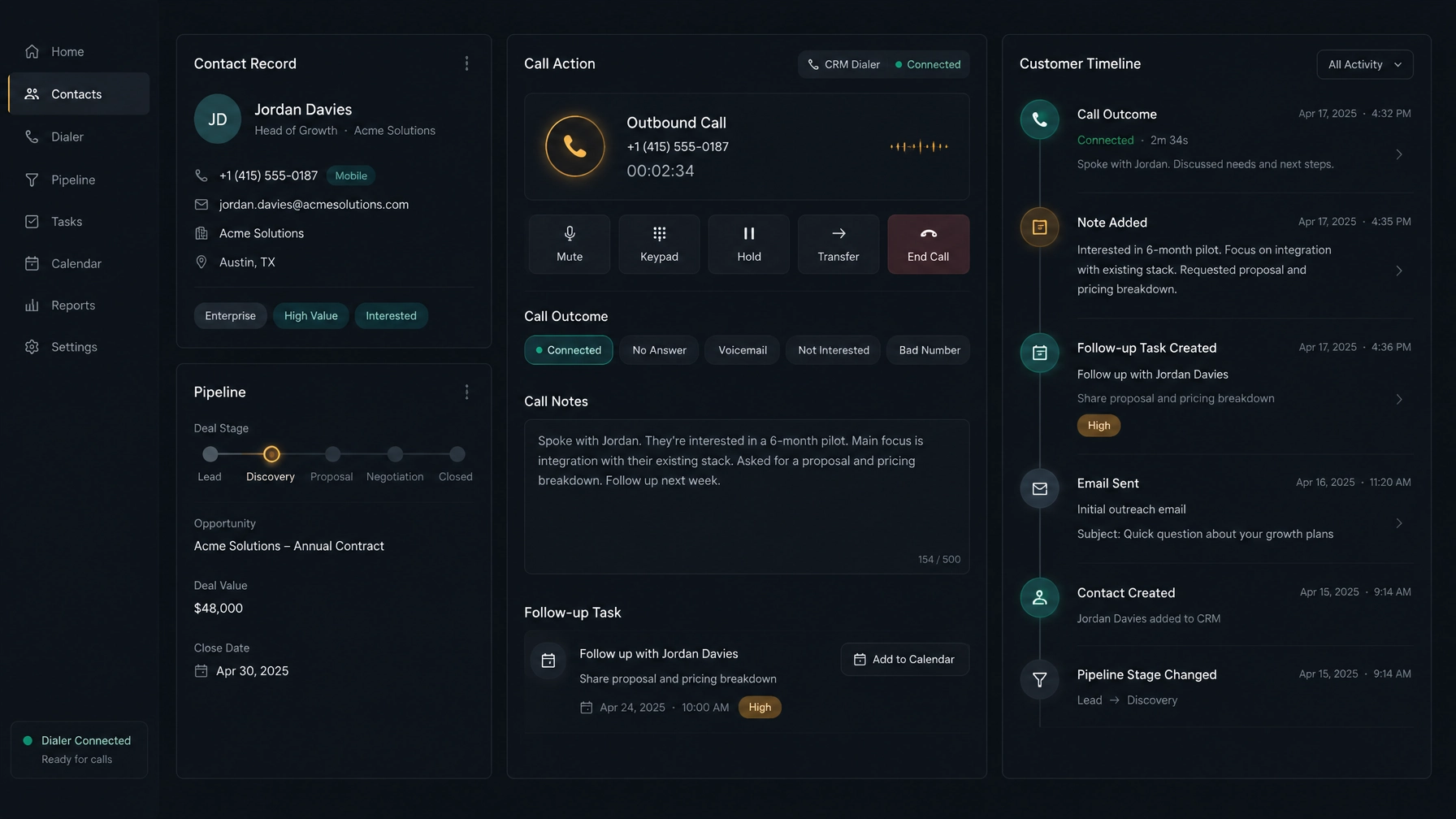
When comparing vendors, ask: Which records and fields sync? Does the workflow update a contact after a call? Can reps see call history without leaving the call screen? Test the steps with a real example instead of relying on a general promise of “CRM integration.”
NexusDialer presents a built-in CRM with contact, company, and deal records, pipeline stages, call history, outcomes, notes, and callbacks. Its public site lists CSV imports and exports. It does not name third-party CRM integrations on the pages reviewed here, so confirm compatibility before planning a migration.
3. Analytics that help you decide what to change
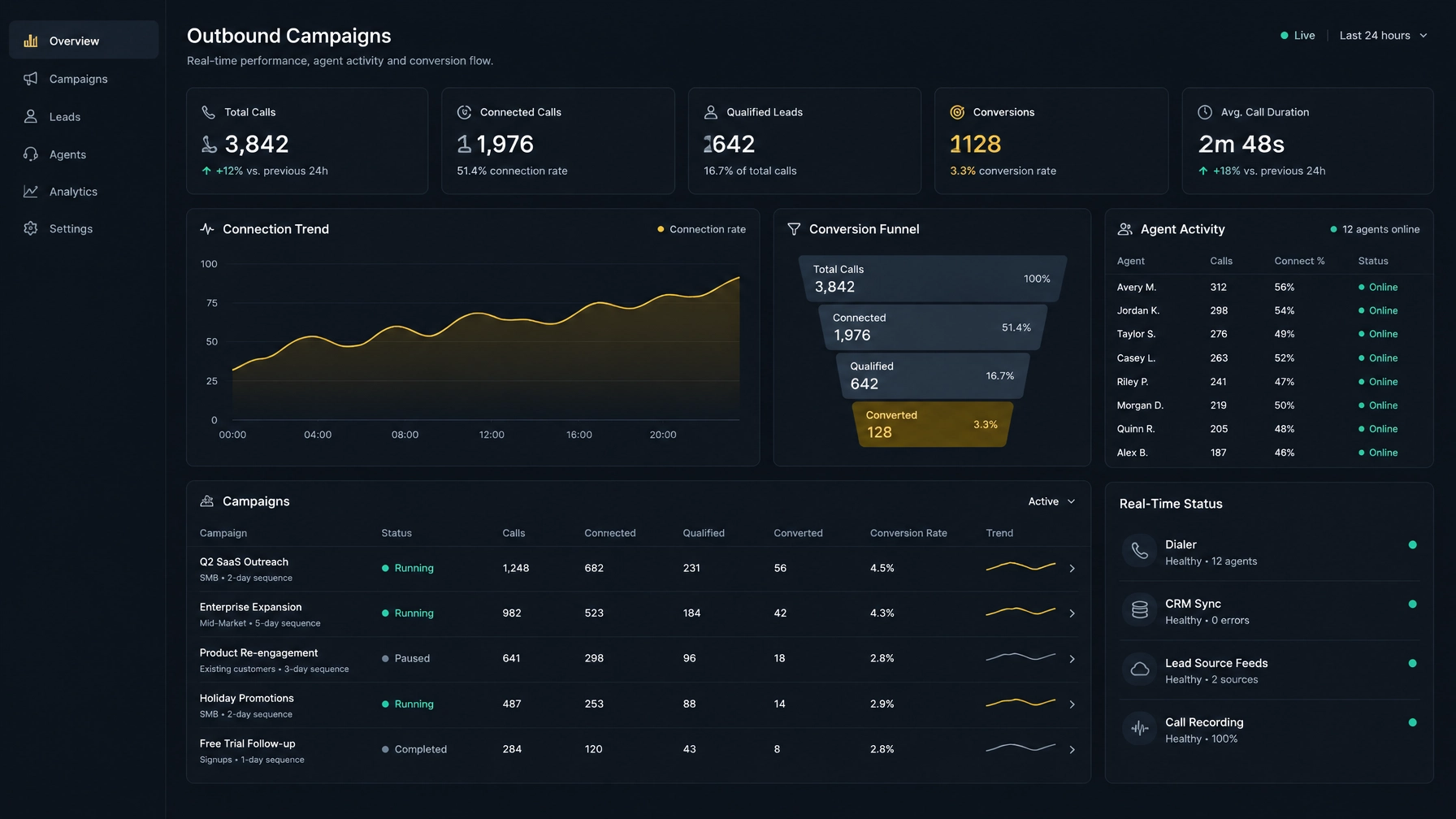
Reports should help you identify where a campaign is working and where it needs attention. Useful measures may include call attempts, connections, outcomes, follow-ups, and agent activity. Make sure the definitions are clear. For example, a “connection” may not mean the same thing as a completed conversation.
Look for reporting that matches your management routine. Team leads may need a quick view of current activity; operations managers may need historical campaign results and a way to compare performance over time.
When comparing vendors, ask: How often do reports update? Can you filter by campaign, agent, and time period? Can you export data? Do the dashboards show the measures your team already uses?
NexusDialer’s site describes team-status views and role-based reports. Review a live demonstration to confirm the dashboard details, update cadence, and exports you need.
4. Call review and coaching controls
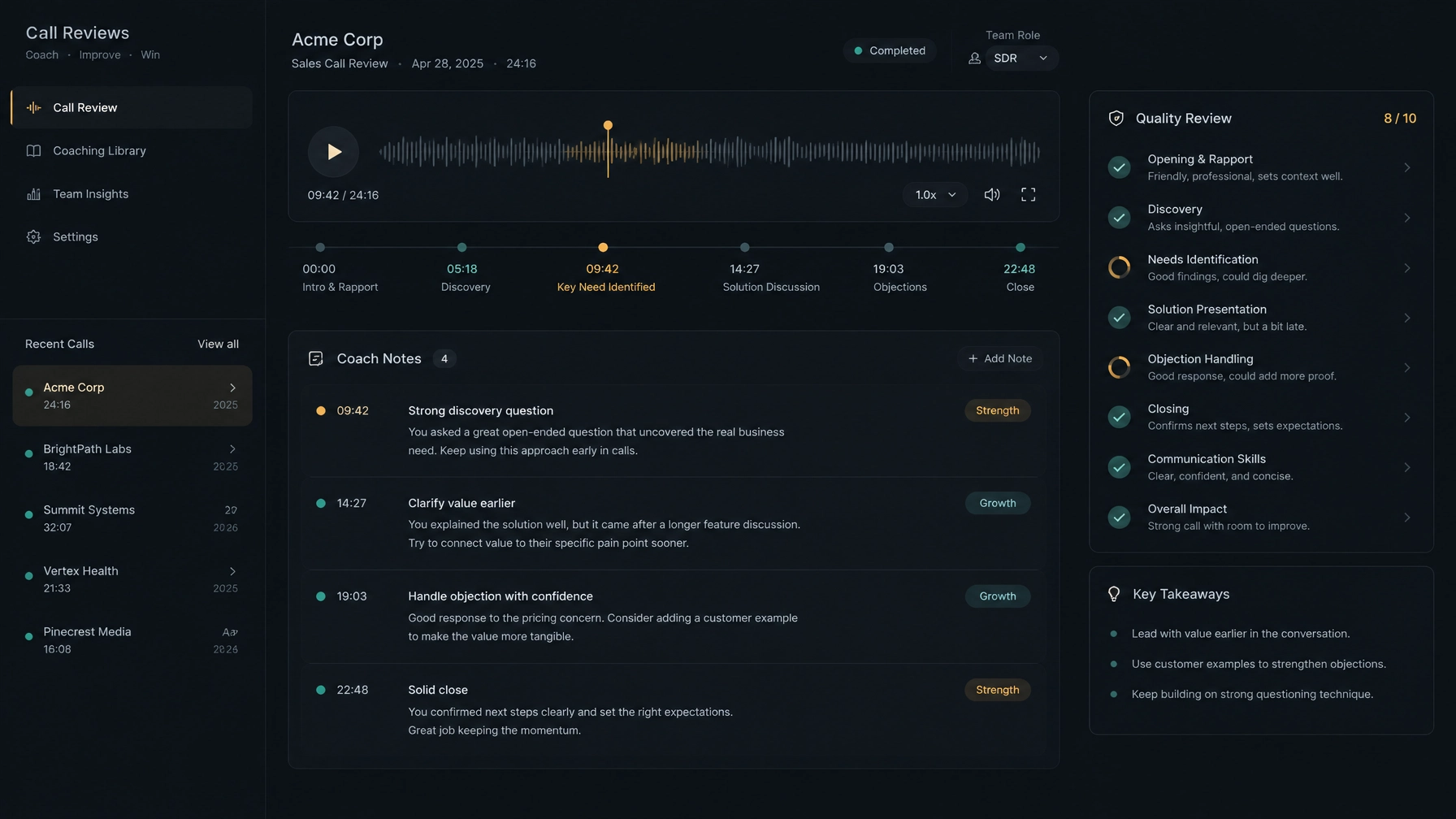
Call review can help supervisors discuss specific moments, reinforce useful habits, and give agents clear feedback. But “call coaching” can refer to different capabilities, from reviewing call notes to listening to recordings or monitoring a live call.
Before you compare vendors, define what your team needs. Ask how calls are recorded, who can access them, how long they are retained, and whether recording can be paused where required. Check whether supervisors can listen live, review calls afterward, or leave coaching notes. If a vendor offers transcription or AI analysis, ask whether it is enabled by default and what setup it requires.
When comparing vendors, ask: Can you hear a recording or review a transcript in the demo? Are access permissions and retention settings configurable? What is available live, and what happens only after a call?
NexusDialer’s public site says post-call transcription and AI analysis require configuration, and that analysis happens after a call. It also states that live transcription and audio supervision are not available. Confirm current availability if recording or live monitoring is essential to your selection.
5. Lead prioritization that gives reps a clear next call
A dialer can move through a list, but your team still needs to decide who belongs near the top. Prioritization helps reps spend time on relevant contacts, such as scheduled callbacks or leads that match campaign criteria.
Check how a platform creates and maintains priority. Some teams may use CRM fields, contact history, list segments, or manually assigned callback times. If a vendor offers automated prioritization, ask what data it uses and whether managers can understand why a lead appears next.
When comparing vendors, ask: Can you sort or segment lists? Can reps save a callback with a date and time? Can managers control the queue and check whether contacts are assigned to the right campaign?
NexusDialer’s site describes campaign lists, contact history, and callback scheduling. Ask the team to demonstrate how those tools support your specific lead-prioritization process.
6. SIP flexibility and BYOS options
Your dialer’s telephony setup can affect cost, implementation, and ongoing support. If you want to keep your current carrier, check whether the vendor supports Bring Your Own SIP (BYOS) and what setup it requires. Confirm compatibility with your provider, trunks, network, and calling locations.
BYOS does not automatically reduce costs. Compare the full operating model, including platform fees, carrier charges, configuration work, and support responsibilities. Clarify who investigates problems when a call issue crosses the dialer and carrier.
When comparing vendors, ask: Can you use your current SIP provider? What information does the setup require? Who handles call routing and troubleshooting? Are there additional fees or limitations?
NexusDialer’s site says organisations can configure their own SIP trunks for browser calling. It also notes that telephony setup and available features depend on deployment, and that calling is not available until workspace approval and configuration are complete. You can read more in its guide to reducing contact center costs without switching SIP providers.
7. Campaign management with clear controls
Campaign tools should help you organize lists, assign work, and manage follow-ups. The basics matter: importing contacts, reviewing import results, choosing which agents work a campaign, and stopping repeated attempts when a contact should no longer be called.
Compliance requirements depend on your location, call type, and campaign. Check what controls the vendor provides for consent records, do-not-call requests, calling windows, and suppression lists. Treat dialer settings as operational support, not a substitute for legal review. In the United States, consult current guidance such as the FTC’s Telemarketing Sales Rule and seek advice for your situation.
When comparing vendors, ask: How do lists enter the platform? Can managers review import issues and campaign activity? How are opt-outs recorded and respected? Can you audit call outcomes and follow-ups?
NexusDialer’s public site lists campaign lists and CSV contact and list imports, with results that can be checked. Ask the team to show how your campaign rules and recordkeeping needs would work.
8. Mobile access that supports the work you do away from a desk
Mobile access matters when reps or managers need to review their work outside the office. But “mobile access” may mean a responsive website, a dedicated app, or limited access to selected functions. Check what people can actually do from a phone or tablet.
When comparing vendors, ask: Can mobile users make calls, review records, update outcomes, and schedule callbacks? Which operating systems and devices are supported? Does the experience work on the move, or does it depend on a desktop setup?
Do not assume mobile features are included because a vendor describes its platform as cloud-based. NexusDialer’s public pages reviewed for this article do not specify mobile capabilities. Confirm availability and supported workflows directly if mobile use is a requirement.
9. Role-based workflows for agents and managers
Agents, managers, and administrators do different work. Role-based workflows can keep each person focused on the records, actions, and reports they need. They can also reduce clutter and help administrators manage access.
Check both the workflow and the permissions. An agent may need a contact queue and call outcomes; a manager may need team activity and review tools; an administrator may need workspace setup and access controls.
When comparing vendors, ask: Can roles have different views and permissions? Can managers see team status without changing an agent’s workspace? Can you configure roles to match how your team operates?
NexusDialer describes role-based workspaces and reports, along with a team-status view. Ask for a demonstration using the roles and responsibilities in your organization.
How to compare outbound dialer software
Before booking demos, write down your campaign type, team size, existing CRM, calling setup, and must-have reporting. Then use the same test for each vendor:
- Set your requirements. Separate essential features from preferences, and identify any compliance or security requirements.
- Walk through a real workflow. Follow one contact from list import to call, outcome, and follow-up.
- Test the setup. Confirm CRM fit, SIP compatibility, agent devices, and any required configuration.
- Review the evidence. Ask vendors to show the dashboards, call-review tools, permissions, and data exports you will use.
- Pilot before rollout. Test with a representative team and campaign. Review call quality, workflow friction, follow-up completion, and reporting before expanding.
A strong shortlist is not simply the platform with the longest feature list. It is the one that fits your calling process, makes work visible, and meets the requirements you can verify.
Frequently asked questions
What is outbound dialer software?
Outbound dialer software helps teams place calls from contact lists. Depending on the product, it may automate dialing, organize campaigns, and help agents record call outcomes and follow-ups.
What is the difference between a predictive and progressive dialer?
A progressive dialer places a call when an agent is ready. Predictive dialer software uses dialing logic to place calls ahead of agent availability, aiming to connect answered calls with available agents. Compare pacing controls and safeguards before choosing a mode.
How do I choose an outbound dialer?
Start with your campaign needs, CRM, telephony setup, and reporting requirements. Then test the actual workflows: list import, calling, call outcome logging, callbacks, and manager review. Confirm limitations and setup requirements before you commit.
What should I check in CRM dialer integration?
Confirm which CRM records and fields sync, how call outcomes and notes are saved, and whether reps can see useful history during a call. Test the exact workflow in a demo or pilot, especially if your business depends on a third-party CRM.
Can I keep my SIP provider when I change dialer software?
Possibly. Ask whether the vendor supports BYOS SIP and confirm that your provider and trunk configuration are compatible. Compare total costs and agree on who handles setup and troubleshooting before making a decision.
Explore a fit for your team
NexusDialer may suit teams looking for progressive or predictive dialing, a built-in CRM, campaign lists, callbacks, SIP configuration, and role-based workspaces. Some capabilities depend on setup, and the public site does not specify every feature covered in this guide. Confirm your must-haves and deployment requirements before choosing.
Explore NexusDialer or start workspace setup. Calling becomes available after workspace approval and telephony setup.
Meta title: How to Choose Outbound Dialer Software: 9 Features
Meta description: Compare outbound dialer software by dialing modes, CRM workflows, analytics, coaching, SIP flexibility, campaign tools, mobile access, and role-based features.