Your Dialer Isn’t Slow. Your Agents Are Waiting for Something Else.
If your outbound agents say the dialer feels slow, the delay may not be in the dialer. A rep can finish one call and still wait while they search for lead context, choose an outcome, schedule a follow-up, or wait for the next record to appear. Those pauses affect agent productivity, but “idle time” alone…
If your outbound agents say the dialer feels slow, the delay may not be in the dialer. A rep can finish one call and still wait while they search for lead context, choose an outcome, schedule a follow-up, or wait for the next record to appear.
Those pauses affect agent productivity, but “idle time” alone does not tell you what to fix. You need to see where the minutes between calls go.
Break the gap into measurable steps. Then you can tell whether the issue sits in the agent workflow, contact data, campaign queue, or dialing setup.
What counts as idle time between calls?
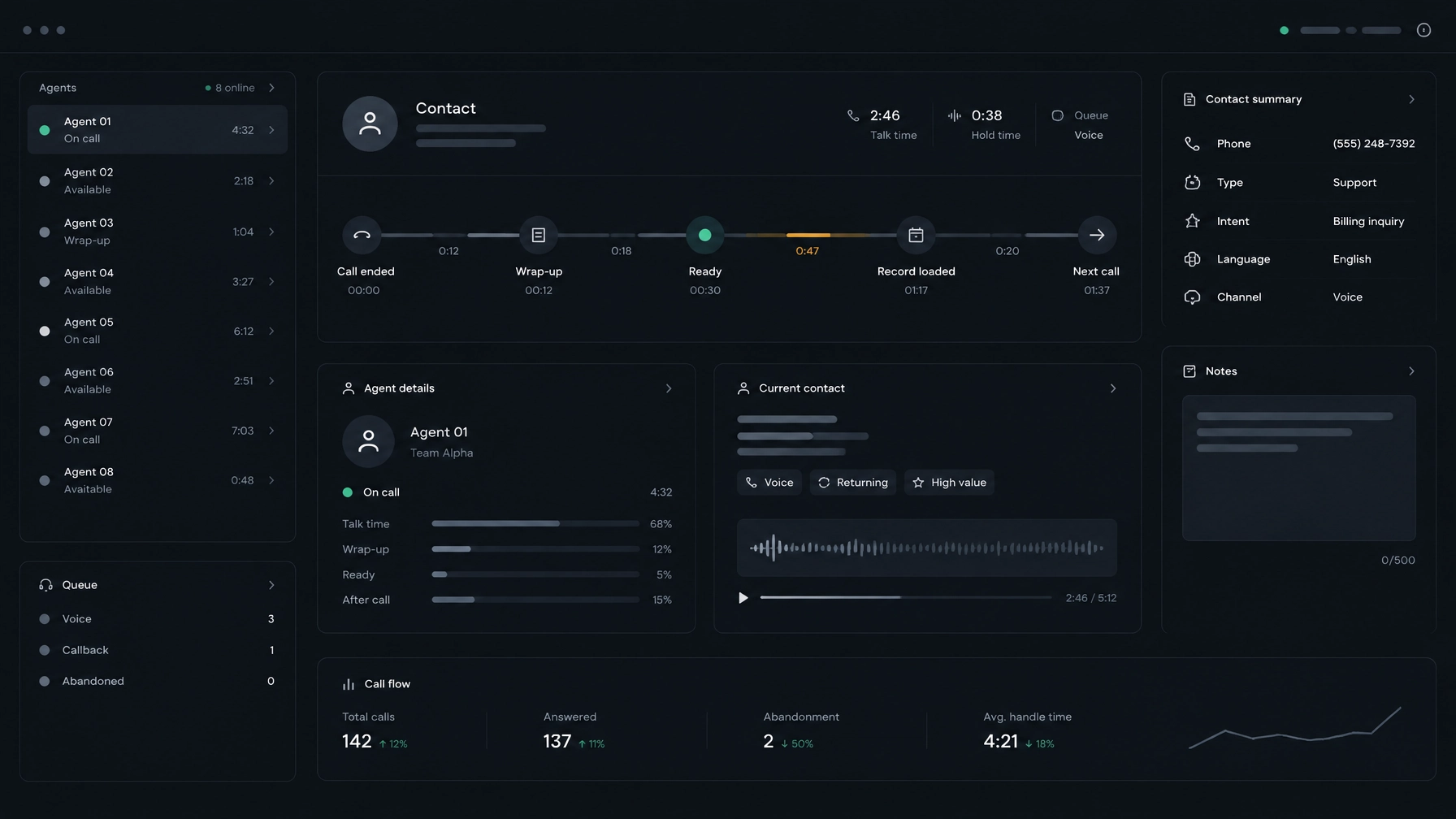
Start with a clear definition. The inter-call gap is the time from one call ending to the next call connecting. It can include several different stages:
- After-call work, such as notes and disposition entry.
- Time when the agent is ready but has no record to work.
- Time spent loading a contact record.
- Time between the record appearing and the next call starting.
- Ringing time before the next person answers.
These stages are not interchangeable. Some involve agent work. Others reflect list availability, campaign pacing, system performance, or call outcomes. Check how your dialer defines “idle” before comparing its reports with other call center metrics. Some dashboards include states that others exclude.
1. Lead lookup is taking time from the call
Why it happens
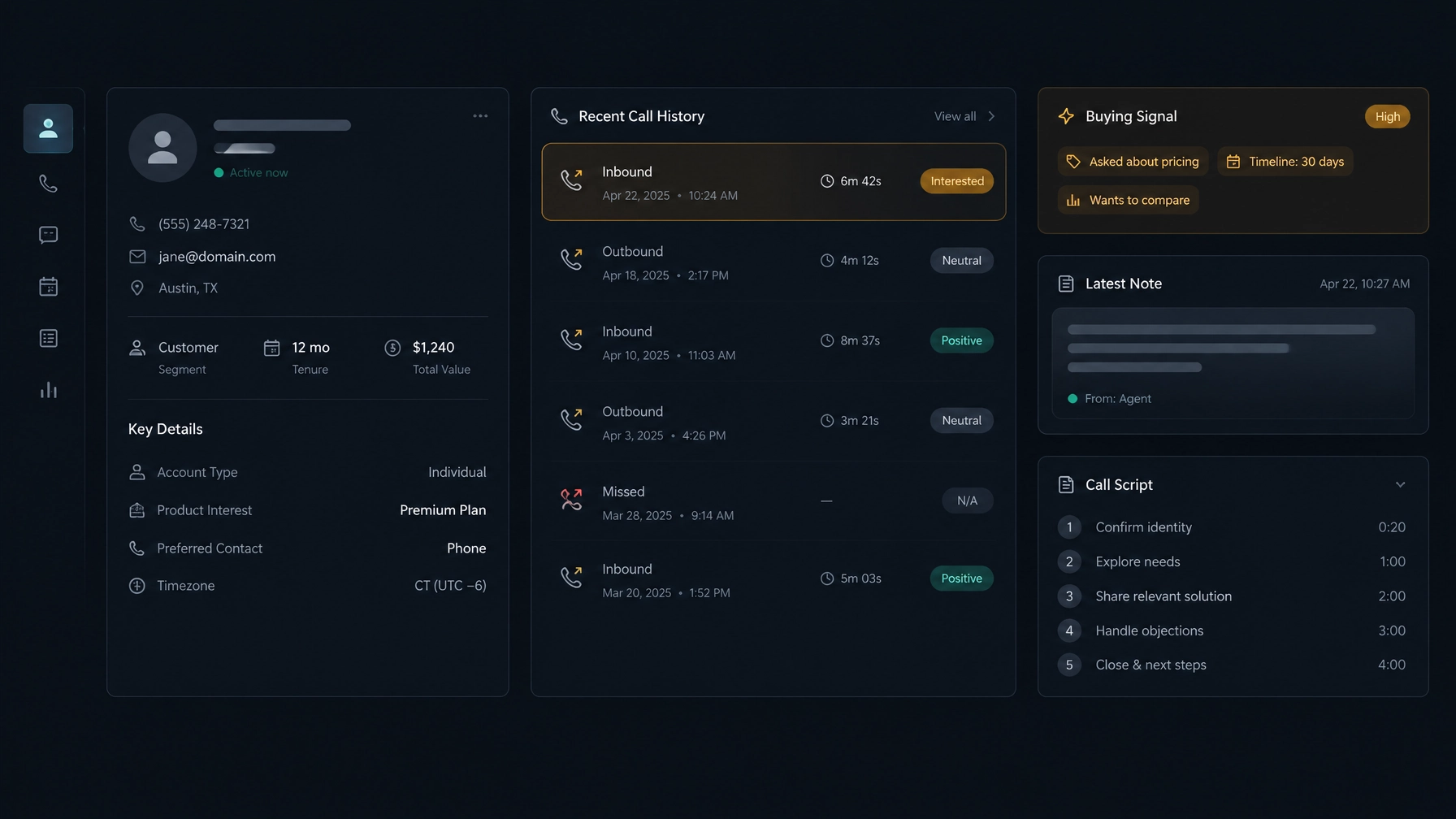
An agent may need to search for a person’s role, company, previous call notes, or reason for calling. The information might live in a separate CRM, a spreadsheet, a campaign tool, or a rep’s own notes. Agents may do this before dialing, while a call is ringing, or after the person answers.
The delay is easy to miss because the agent appears busy. But searching for context can push the first useful words of a call later, or slow down preparation for the next one.
How to measure it
Track two intervals:
- Pre-call prep time: when the record becomes available to the agent to when the call starts.
- Connect-to-first-word time: when a call connects to when the agent begins speaking.
If you have recording and event timestamps, compare these measures across agents and campaigns. A long connect-to-first-word interval can indicate that the rep is still reading, navigating, or getting ready. Review recordings only in line with your organization’s policies.
How to fix it
Put the information agents need close to the call. Keep contact details, relevant history, notes, and the current script in a consistent place. Remove fields that do not help the agent make or document the call.
For example, if agents open another system to check the last outcome, then return to the dialer to call, the problem may be context switching rather than dialing speed.
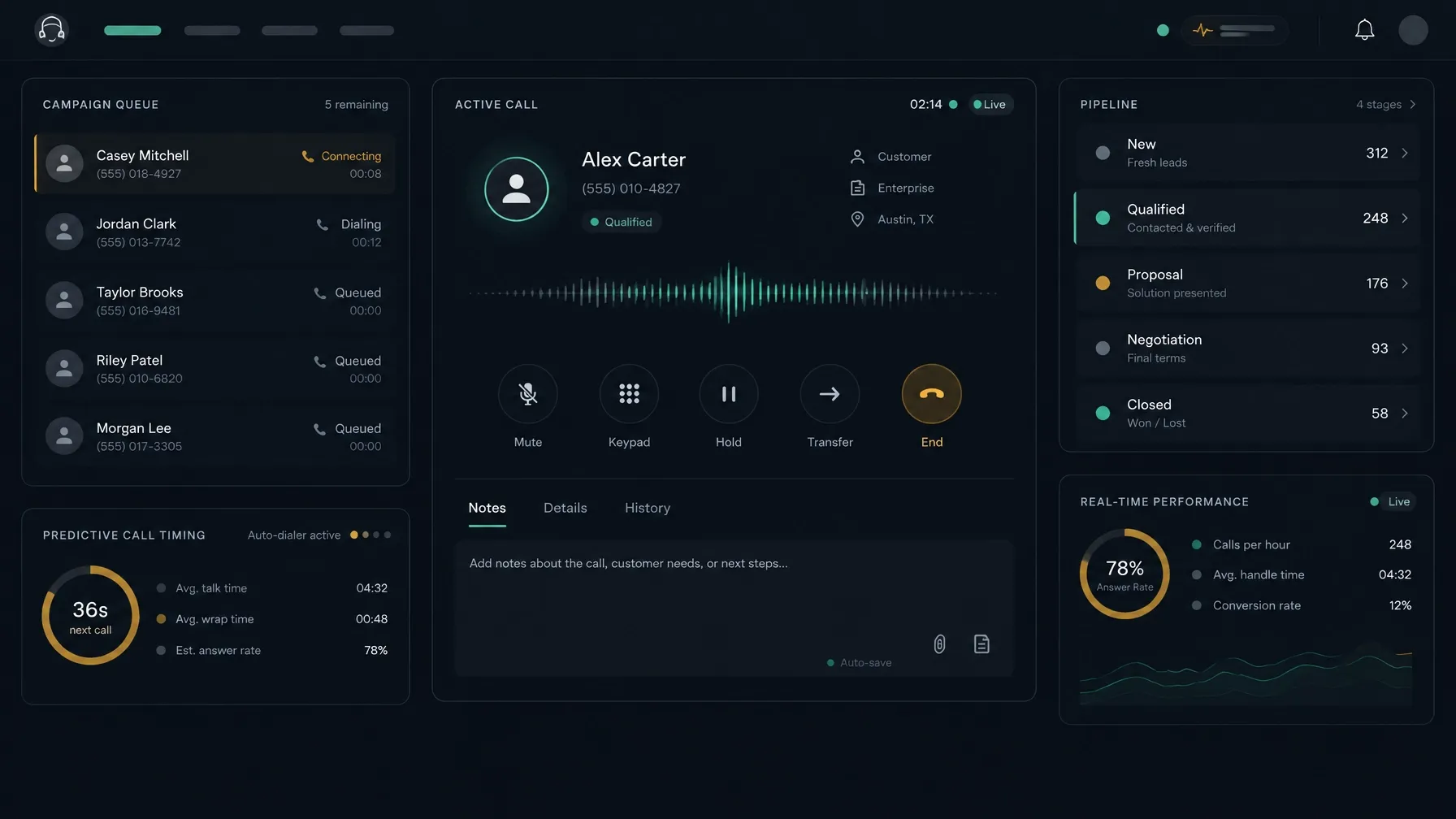
NexusDialer’s website describes contact profiles with call history, notes, and scripts available in the calling workflow. That kind of setup can reduce the need to hunt across screens, though the effect depends on how your team configures its records and process. You can review the NexusDialer calling and contact workflow.
2. Disposition codes are unclear
Why it happens
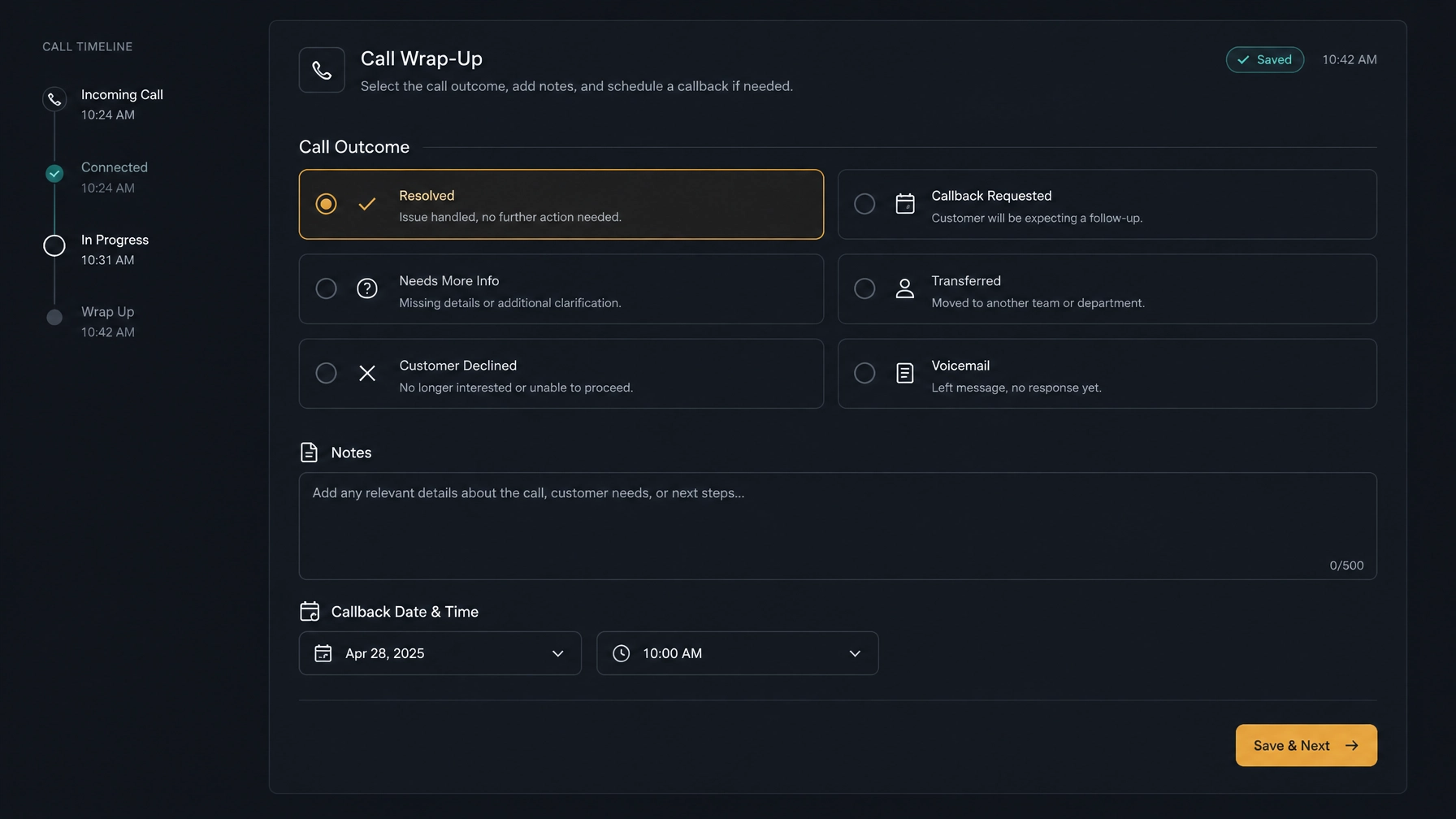
After a call, the agent must record what happened. If outcome codes overlap, have unclear names, or require too many fields, the rep has to stop and decide what to select. They may also choose the wrong outcome, then correct it later, or leave incomplete notes for the next person.
Disposition rules affect more than reporting. They can drive follow-up work, list eligibility, and what the next agent sees. A confusing choice creates rework downstream.
How to measure it
Track after-call work time per disposition, measured from call end to the point the outcome is saved. Compare the results by outcome type, campaign, and team.
Also check error and rework rates. Look for records with changed outcomes, missing notes, duplicate callbacks, or corrections made after the call. A long wrap-up time for one outcome may point to a confusing workflow or extra required fields.
How to fix it
Make each disposition describe a distinct next step. Use plain labels, document when to choose each one, and remove options that no longer serve a reporting or operational need. Keep mandatory fields to the information someone will actually use.
If you can, test the revised list with agents before applying it across campaigns. Ask them to explain which outcome they would select for common call scenarios. Their hesitation is useful evidence.
3. The next record is not ready
Why it happens
An agent may save the outcome and become ready, but still have to wait for another contact. The cause could be a slow record load, a gap in eligible list records, callback timing, campaign filters, or a pacing setting that deliberately waits before placing another call.
That means “the agent is idle” may not mean the agent caused the delay. The list might have no immediately callable records, or the system may be following a configured wait.
How to measure it
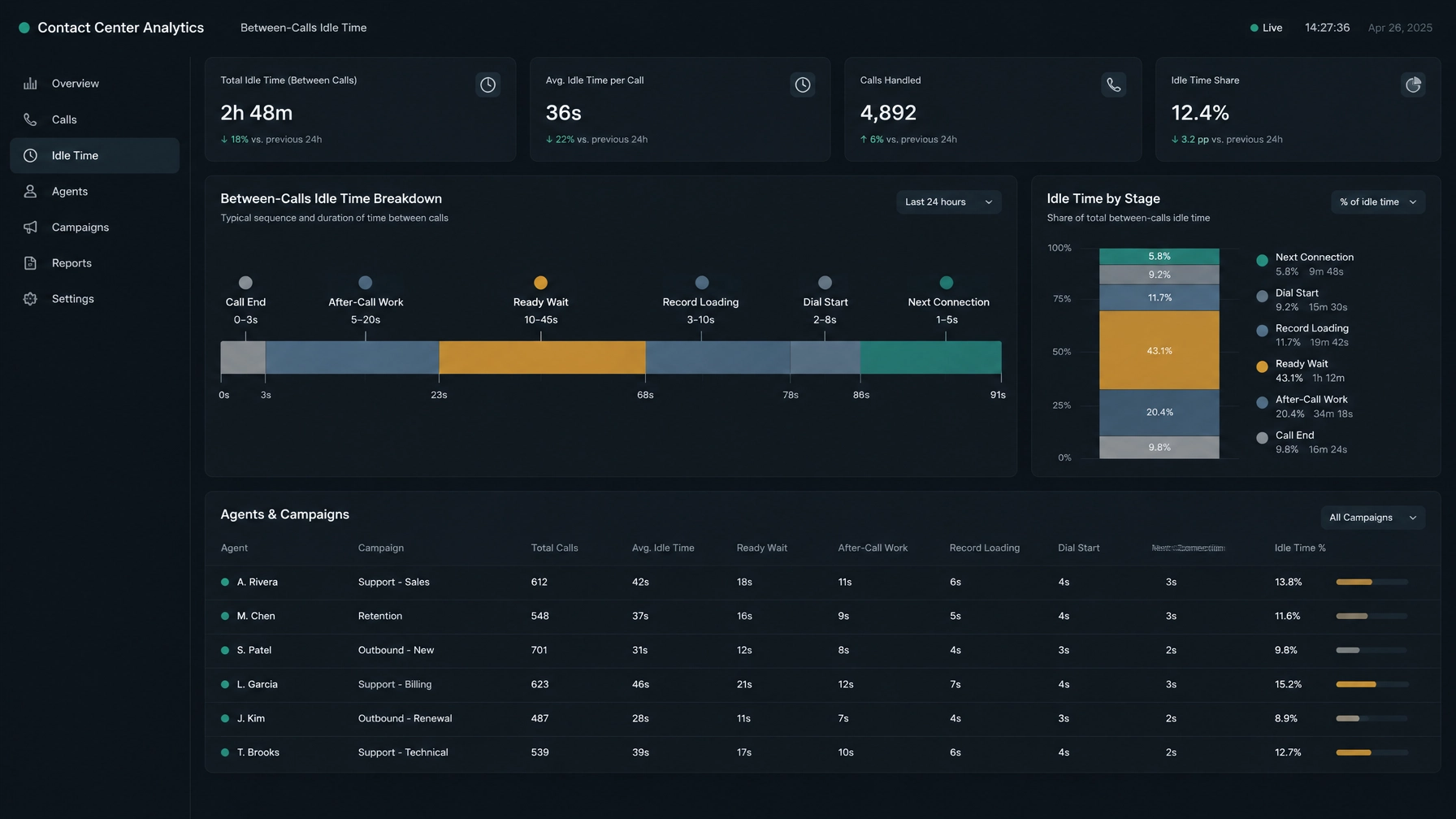
Measure the time from hangup to next dial, and also separate the steps around it:
- When the agent becomes ready.
- When the next record is assigned or reserved.
- When the record finishes loading.
- When the next dial starts.
- When the next call connects.
Then review a gap analysis across the day. Break results down by campaign, agent, and time period. Look for patterns: does the delay recur after a particular disposition, when a list runs low, or during a certain campaign window?
Separating “next dial” from “next connection” matters. A delay before the dial starts points to a different problem than a call that starts promptly but rings for a while.
How to fix it
Check that records are eligible when agents need them. Review campaign filters, callback schedules, retry rules, duplicate suppression, and time-zone settings. Confirm that enough callable records remain for the active team.
Then review pacing and capacity settings. Some waiting may be intentional, especially when a campaign is balancing agent availability and call volume. Do not remove a delay simply to make an idle-time report look better. Check its effect on answer handling, abandoned calls, and the customer experience.
NexusDialer’s site describes progressive and predictive dialing, along with a manager view of team status and queue information. The right setup depends on your campaign, list, and telephony configuration. Calling also requires workspace approval and telephony setup, so confirm those prerequisites for your deployment.
4. Audit the other wait states
Once you have the main stages, check for delays that do not fit neatly into lookup, disposition, or record loading:
- Follow-up scheduling: Agents may leave the dialer to find a calendar or work out a callback time. Keep the next action and its timing easy to save.
- Dead-number queues: Invalid or exhausted records can consume attempts or interrupt the flow. Review how those outcomes affect list recycling.
- Manager approvals: A required approval can hold a record or campaign. Check whether the approval is necessary at that point in the workflow.
- System lag: Slow screens, delayed saves, browser issues, or network latency can make every step feel slow. Compare timestamps from the user interface with system events, where available.
Ask agents what they were waiting for when a gap occurred. Their answers help explain the data, but verify patterns across records rather than relying on one example.
Build a simple idle-time breakdown
Start with call and status data already available in your dialer. If the system does not capture every event, take a short sample and log timestamps manually. Use consistent definitions for each stage.
| Stage | Start and end | What it can reveal |
|---|---|---|
| Pre-call prep | Record available → dial starts | Lookup or preparation work |
| Connect-to-first-word | Call connects → agent begins speaking | In-call context switching or readiness |
| After-call work | Call ends → disposition saved | Notes, disposition, and follow-up friction |
| Ready-to-record | Agent ready → record assigned | List availability or queue delay |
| Record load | Record assigned → record visible | Data or screen-loading delay |
| Dial-to-connect | Dial starts → call connects | Ring time and call outcomes |
| Total inter-call gap | Call ends → next call connects | Overall time between conversations |
Use the breakdown to locate the stage that deserves attention. An average can hide long delays, so review typical and unusually long gaps, then compare the same measure across campaigns and time periods. Keep the groups comparable: a team working different lists or call windows may have different wait patterns for reasons unrelated to agent behavior.
For campaign context, compare idle time with list availability and call outcomes. Cisco’s outbound campaign guidance also treats idle time as something to review alongside campaign conditions, rather than in isolation.
Run this audit this week
You do not need a new dashboard to start. Use this quick review:
- Choose a representative campaign. Avoid a period with an unusual list or staffing condition.
- Agree on event definitions. Decide what starts and ends prep, wrap-up, ready wait, and record load.
- Review a sample across the day. Include different agents and dispositions, not just the longest gaps.
- Mark each gap by cause. Use lookup, disposition, next-record wait, follow-up, approval, or system lag.
- Check the pattern with agents. Ask what they were doing during the largest recurring delay.
- Change one workflow at a time. Simplify a code list, adjust record preparation, or inspect a system step, then measure again.
If you need a place to start, look for repeated delays that share the same campaign, disposition, or workflow step. Fixing one source of rework is more useful than asking agents to move faster without knowing what is holding them up.
NexusDialer combines a calling workflow with contact records, outcomes, callbacks, and manager views of team activity. Those capabilities may help teams keep context and next steps close to calls. Explore the NexusDialer workspace and compare its setup with the stages your audit identifies.
For another operations-focused view, see how to reduce contact center costs without switching SIP providers.
Frequently asked questions
What is agent idle time in a call center?
Agent idle time is time when an agent is not handling a call or another assigned task. Definitions vary by platform. For outbound work, measure the full gap between calls and break it into wrap-up, ready wait, record loading, dialing, and connection time.
How do you reduce idle time in outbound calling?
First identify where the wait occurs. Reduce unnecessary lead lookup, clarify disposition choices, keep follow-up steps simple, and check whether eligible records are ready for agents. Review pacing settings before changing them, since some waiting may be intentional.
How do you measure time between outbound calls?
Track the end of one call and the connection of the next, then capture key events between them, such as disposition saved, agent ready, record assigned, record loaded, and next dial started. This shows which stage accounts for the gap.
Is agent idle time always a sign of poor performance?
No. It can reflect list availability, callback timing, system latency, call pacing, or the time it takes to reach the next person. Use the metric to investigate workflow conditions, not as a standalone measure of an individual agent’s performance.
Which call center metrics should managers review together?
Review inter-call gap alongside after-call work, disposition corrections, callable record availability, call outcomes, and campaign conditions. Use clear definitions and compare like-for-like campaigns before deciding what to change.
SEO title: Causes of Idle Time Between Outbound Calls
Meta description: Find out what causes idle time between outbound calls. Learn how to measure lookup, disposition, record-loading, and other delays, then audit your workflow.